📌
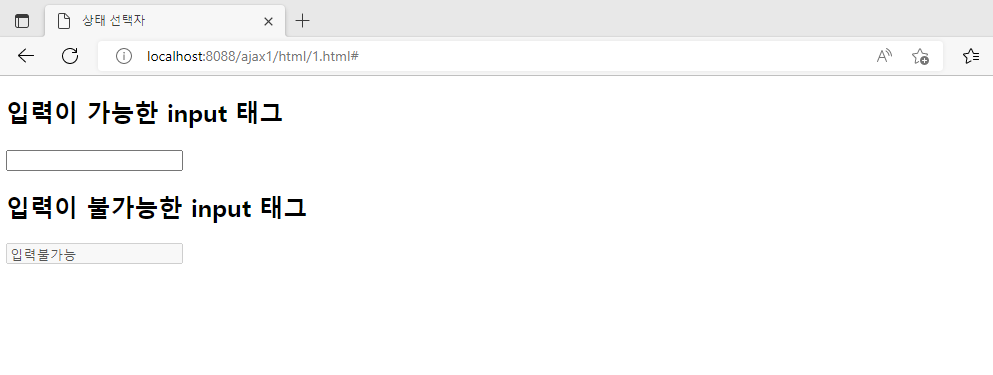
<!DOCTYPE html>
<!--  src/main/webapp/6/selector9.html -->
<html>
<head>
<meta charset="UTF-8">
<title>상태 선택자</title>
</head>
<body>
<h2>입력이 가능한 input 태그</h2>
<input type="text">
<h2>입력이 불가능한 input 태그</h2>
<input type="text" disabled="disabled" value="입력불가능">
</body>
</html>
📌

<!DOCTYPE html>
<!--  src/main/webapp/6/selector9.html -->
<html>
<head>
<meta charset="UTF-8">
<title>상태 선택자</title>
<style>
/*input태그에 입력 가능한 경우 배경색을 노란색으로 설정. 글자크기를 30px로 설정*/
input:enabled{ background: yellow;
			  font-size: 30px;
			}
/*input태그에 입력 가능한 경우 태그가 선택된 경우(focus)배경색을
분홍색으로 설정. 글자크기를 15px로 설정*/
input:focus{ background: pink;
			font-size: 15px;
			}
/*input태그에 입력 불가능한 경우 배경색을 검정색으로 흰색글씨로 설정*/
input:disabled{
	color : white;
	background : black;
}
</style>
</head>
<body>
<h2>입력이 가능한 input 태그</h2>
<input type="text">
<h2>입력이 불가능한 input 태그</h2>
<input type="text" disabled="disabled" value="입력불가능">
</body>
</html>
'수업(국비지원) > HTML, CSS' 카테고리의 다른 글
| [HTML/CSS] CSS선택자(selector) - 반응형 웹 (0) | 2023.04.17 |
|---|---|
| [HTML/CSS] CSS선택자(selector) - CSS반응 선택자, CSS상대 선택자 (0) | 2023.04.17 |
| [HTML/CSS] CSS선택자(selector) - 메뉴만들기 (0) | 2023.04.17 |
| [HTML/CSS] CSS선택자(selector) - 박스 모델(Box Model) (0) | 2023.04.17 |
| [HTML/CSS] CSS선택자(selector) - 후손 태그, 자손 태그 (0) | 2023.04.17 |


