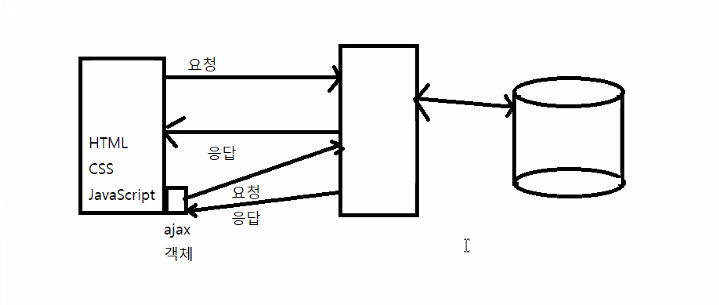
- AJAX : 브라우저가 아닌 자바스크립트에서 서버와 통신을 할 수 있는 방법
📌 ajax1.html
<!DOCTYPE html>
<!-- /ajax1/src/main/webapp/20221019/ajax1.html -->
<html>
<head>
<meta charset="UTF-8">
<title>XMLHttpRequest 객체</title>
<script type="text/javascript">
    function loadJsp() {
    	/*
    	 new XMLHttpRequest() : ajax 객체. 서버에 요청 후 응답을 받을 수 있는 기능을 가진 객체.(서버와 통신 할 수 있는 객체)
    	*/
    	const xhttp = new XMLHttpRequest()
    	//"GET" : 서버와 통신을 할때 서버의 요청방식을 GET 방식으로 설정
    	//"test1.jsp" : 요청 페이지
    	xhttp.open("GET","test1.jsp")
    	xhttp.send() //서버에 요청함.
    	/*
    	 onreadystatechange : 콜백함수등록 변수
    	 readyState
    	    0 : 객체 생성
    	    1 : open() 실행
    	    2 : send() 실행
    	    3 : 응답의 일부만 수신. 응답 중
    	    4 : 서버로 부터 응답이 완료된 경우.
    	 status : HTTP 응답 코드
    	    200 : 정상 응답
    	    404 : 해당페이지 없음
    	    500 : 해당페이지 오류
    	*/
    	xhttp.onreadystatechange=function(){
    		if(this.readyState==4 && this.status==200) { //서버의 응답이 정상적으로 완료된 경우
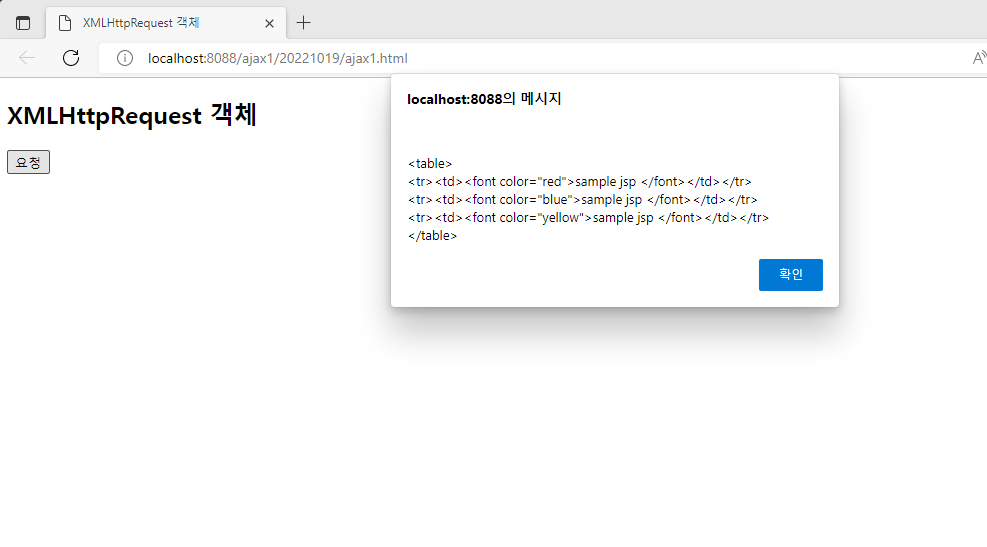
    			alert(this.responseText) //this = xhttp, responseText : 서버의 응답 메세지
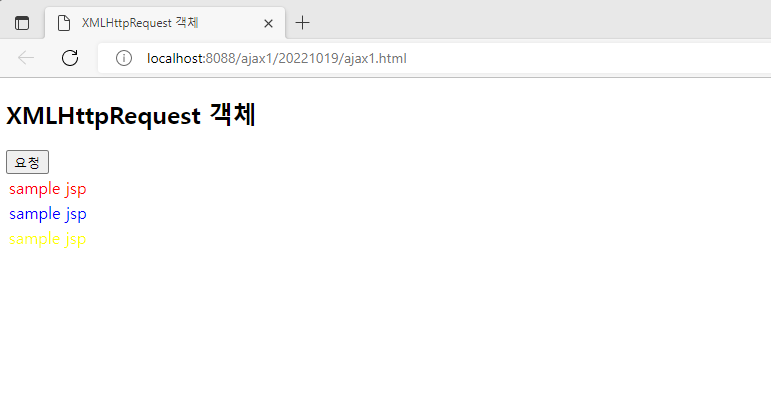
    			document.getElementById("demo").innerHTML=this.responseText
    		}
    	}
    }
</script>
</head>
<body>
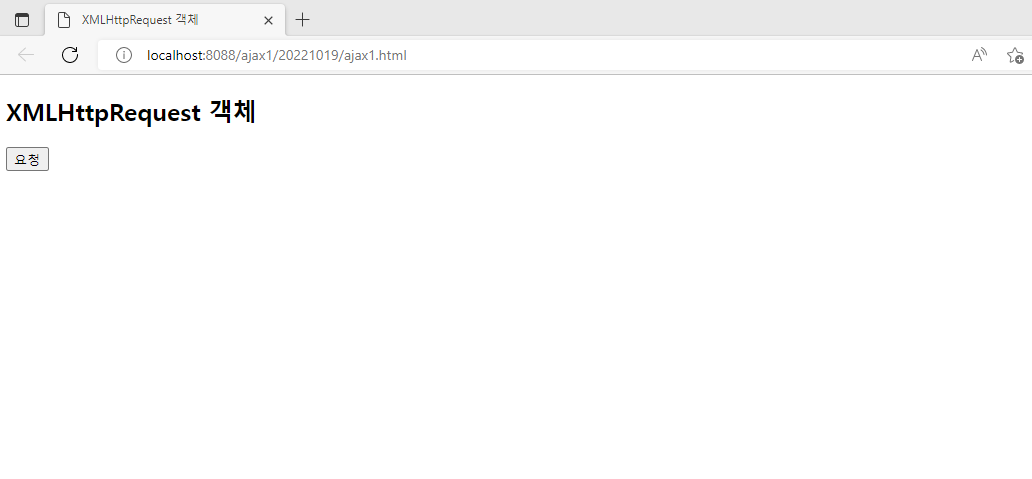
<h2>XMLHttpRequest 객체</h2>
<button type="button" onclick="loadJsp()">요청</button>
<div id="demo"></div>
</body>
</html>
📌 test1.jsp
<%@ page language="java" contentType="text/html; charset=UTF-8"
    pageEncoding="UTF-8"%>
<%-- /ajax1/src/main/webapp/20221019/test1.jsp --%>
<table>
<tr><td><font color="red">sample jsp</font></td></tr>
<tr><td><font color="blue">sample jsp</font></td></tr>
<tr><td><font color="yellow">sample jsp</font></td></tr>
</table>
'수업(국비지원) > Ajax' 카테고리의 다른 글
| [AJAX] ajax - jquery 이용한 시,군,구 선택 (0) | 2023.04.21 |
|---|---|
| [AJAX] jquery를 이용한 ajax 연습 (0) | 2023.04.21 |
| [AJAX] FETCH 함수 - ajax.js 이용, jquery ajax 파라미터 전송 (0) | 2023.04.21 |
| [AJAX] FETCH 함수 - JSON (0) | 2023.04.21 |
| [AJAX] FETCH 함수, FETCH 함수 - get 방식, post 방식 (0) | 2023.04.21 |


