수업(국비지원)/Python
[Python] 숫자 인식하기
byeolsub
2023. 4. 27. 14:30
📌
# 손글씨 예측
import cv2
import numpy as np
import pickle, gzip, os

from urllib.request import urlretrieve
import matplotlib.pyplot as plt

def load_mnist(filename) :
    if not os.path.exists(filename) : # 존재하지 않으면
        link = \\
         "<https://github.com/mnielsen/neural-networks-and-deep-learning/raw/master/data/mnist.pkl.gz>"
        urlretrieve(link, filename) # Link에서 전달한 파일을 filename으로 저장
        with gzip.open(filename,"rb") as f: # 압축파일을 읽기
            return pickle.load(f, encoding="latin1")

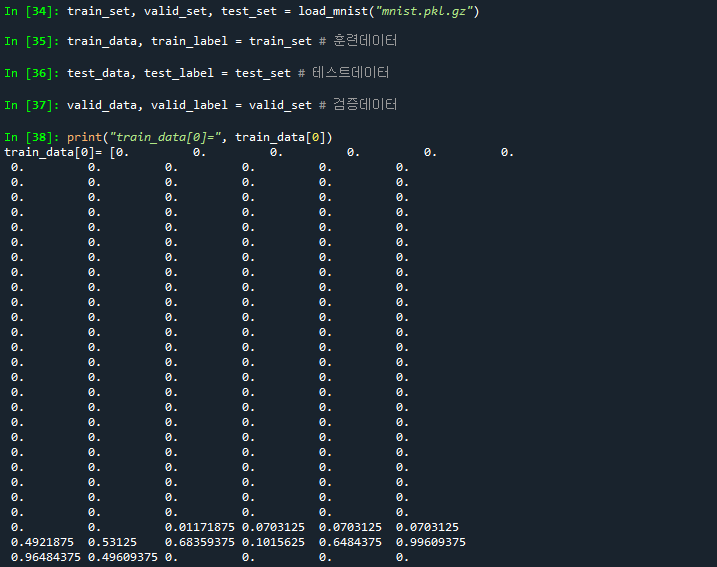
train_set, valid_set, test_set = load_mnist("mnist.pkl.gz")
# 테스트데이터 : 훈련 종료 후 평가를 위한 데이터
# 검증데이터 : 훈련도중 평가를 위한 데이터
train_data, train_label = train_set # 훈련데이터
test_data, test_label = test_set # 테스트데이터
valid_data, valid_label = valid_set # 검증데이터
print("train_data[0]=", train_data[0])
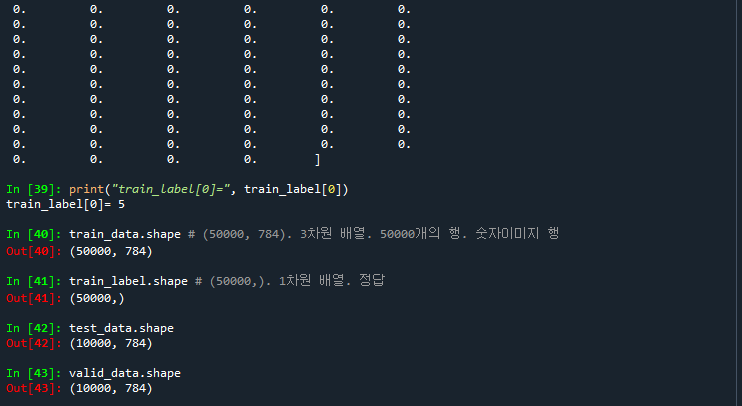
print("train_label[0]=", train_label[0])
train_data.shape # (50000, 784). 3차원 배열. 50000개의 행. 숫자이미지 행
                 # 784 : 28 * 28 => 1차원 배열로 생성.
                 # 50000개의 숫자 이미지값.
train_label.shape # (50000,). 1차원 배열. 정답
test_data.shape # (10000, 784)
valid_data.shape # (10000, 784)
# 이미지 출력하기
# data : (50000, 784)
def graph_image(data, lable, title, nsample) :
    plt.figure(num=title, figsize=(6, 9))
    # rand_idx : 0~49999까지의 수 중 24개의 데이터를 저장
    rand_idx = np.random.choice(range(data.shape[0]), nsample)
    # i : 인덱스값, id : 데이터값
    for i, id in enumerate(rand_idx):
        # data[id] : 한개의 행. 784개 => 28 * 28
        img = data[id].reshape(28, 28) # 2차원 배열로 변경
        plt.subplot(6, 4, i + 1) # 6행 4열로 이미지 나눔. 순서대로 처리. 이미지 출력
        plt.axis('off') # 축을 안보이도록 설정
        plt.imshow(img, cmap='gray') # 이미지 출력
        plt.title("%s: %d" % (title, lable[id]))
    plt.tight_layout() # plt 전체크기 지정

graph_image(train_data, train_label, 'label', 24)

# 알고리즘 학습
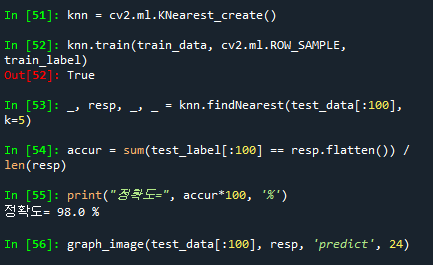
knn = cv2.ml.KNearest_create()
knn.train(train_data, cv2.ml.ROW_SAMPLE, train_label)
_, resp, _, _ = knn.findNearest(test_data[:100], k=5)
accur = sum(test_label[:100] == resp.flatten()) / len(resp)
print("정확도=", accur*100, '%')
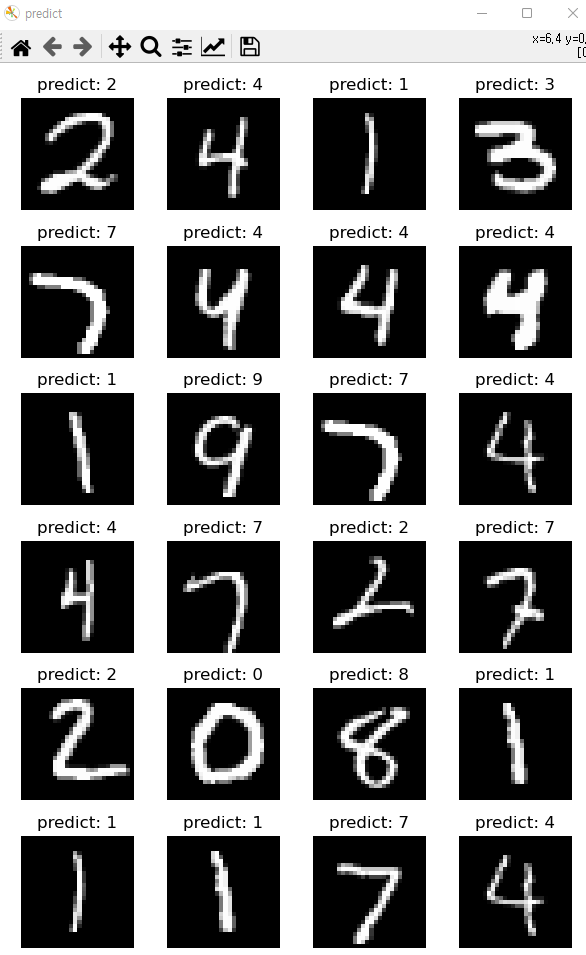
graph_image(test_data[:100], resp, 'predict', 24)