수업(국비지원)/Ajax
[AJAX] FETCH 함수, FETCH 함수 - get 방식, post 방식
byeolsub
2023. 4. 21. 21:44
- fetch 함수
📌
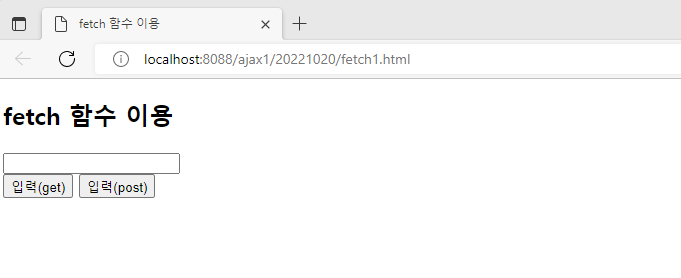

<!DOCTYPE html>
<!-- /ajax1/src/main/webapp/20221020/fetch1.html
 JSON 파일 : Javascript Object Notation 약자

-->
<html>
<head>
<meta charset="UTF-8">
<title>fetch 함수 이용</title>
<script type="text/javascript">
//get 방식을 이용하여 fetch 함수로 서버에 요청
   function loadJspGet() {
	   fetch('test1.jsp?name=' + document.f.name.value)
	   .then((response) => response.text()) //응답이 오는걸 가져오는. (서버의 응답객체)
	   .then((data) => document.querySelector("#demo").innerHTML= data)
   }
   //post 방식을 할 때는 header 필수!
   function loadJspPost() {
/*
 {
		   method : "POST", <= 키값 : value 값
		   headers : {'Content-Type' : 'application/x-www-form-urlencoded;charset=UTF-8'},
		   body :'name=' + document.f.name.value
	   } <= 객체 JSON 파일

 */
	   fetch('test1.jsp', {
		   method : "POST",
		   headers : {'Content-Type' : 'application/x-www-form-urlencoded;charset=UTF-8'},
		   body :'name=' + document.f.name.value
	   })
	   .then((response) => response.text())
	   .then((data) => document.querySelector("#demo").innerHTML= data)
   }
</script>
</head>
<body>
<h2>fetch 함수 이용</h2>
<form name="f">
   <input type="text" name="name">
</form>
<button type="button" onclick="loadJspGet()">입력(get)</button>
<button type="button" onclick="loadJspPost()">입력(post)</button>
<div id="demo"></div>
</body>
</html>
- FETCH 함수 - get 방식, post 방식
📌 - XMLHttpRequest 객체
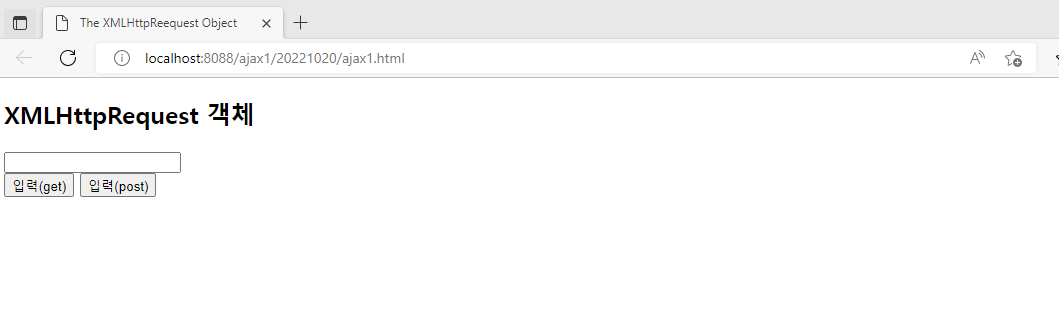
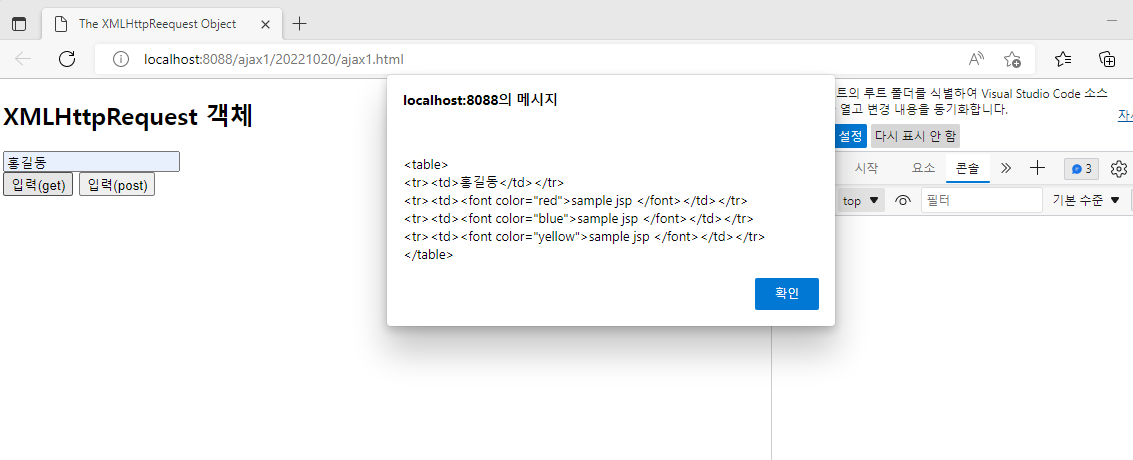
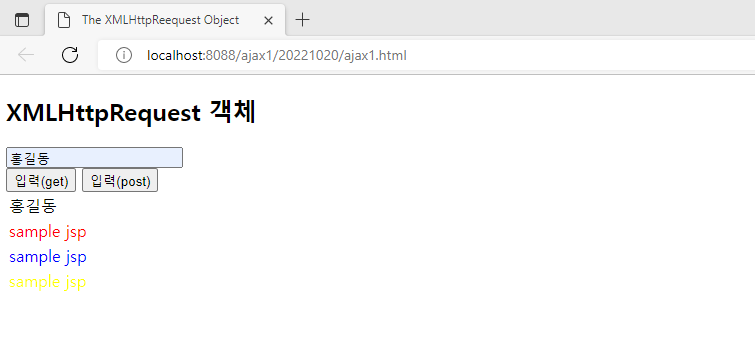
<!DOCTYPE html>
<!-- /ajax1/src/main/webapp/20221020/ajax1.html -->
<html>
<head>
<meta charset="UTF-8">
<title>The XMLHttpReequest Object</title>
<script>
//get 방식일때 : url?param 정보
//             <http://localhost:8088/jsp3/list?boardid=1>
   function loadJspGet() {
	   const xhttp = new XMLHttpRequest(); //ajax 객체 생성
	   const params = "?name=" + document.f.name.value //get방식이여서 ? 들어감.
		xhttp.open("GET","test1.jsp" + params)
		xhttp.send()
		//callBack : 함수의 이릅.
		//상태 정보가 변경 될 때 마다 callBack함수 호출
		//콜백 함수 : callBack()로 설정.
		xhttp.onreadystatechange = callBack
   }
   //POST 방식 : url
   //           param : http 프로토콜의 body 부분에 추가
   function loadJspPost() {
	   const xhttp = new XMLHttpRequest();
	   const params = "name=" + document.f.name.value
		xhttp.open("POST","test1.jsp")
		//POST 방식에서 요청 header 부분 설정
		xhttp.setRequestHeader('Content-Type','application/x-www-form-urlencoded;charset=UTF-8');
		xhttp.send(params) //POST 방식에서는 파라미터 전송
		xhttp.onreadystatechange = callBack
   }
   function callBack() {
	   if(this.readyState == 4 && this.status == 200) {
		   alert(this.responseText)
		   document.getElementById("demo").innerHTML = this.responseText
	   }
   }
</script>
</head>
<body>
<h2>XMLHttpRequest 객체</h2>
<form name="f">
   <input type="text" name="name">
</form>
<button type="button" onclick="loadJspGet()">입력(get)</button>
<button type="button" onclick="loadJspPost()">입력(post)</button>
<div id="demo"></div>
</body>
</html>
📌 test1.jsp 생성
<%@ page language="java" contentType="text/html; charset=UTF-8"
    pageEncoding="UTF-8"%>
<%-- /ajax1/src/main/webapp/20221020/test1.jsp --%>
<table>
<tr><td>${param.name}</td></tr>
<tr><td><font color="red">sample jsp </font></td></tr>
<tr><td><font color="blue">sample jsp </font></td></tr>
<tr><td><font color="yellow">sample jsp </font></td></tr>
</table>
</aside>
- FETCH 함수 - get 방식, post 방식
<aside> 📌 - XMLHttpRequest 객체
</aside>
<aside> 📌 test1.jsp 생성
<%@ page language="java" contentType="text/html; charset=UTF-8"
    pageEncoding="UTF-8"%>
<%-- /ajax1/src/main/webapp/20221020/test1.jsp --%>
<table>
<tr><td>${param.name}</td></tr>
<tr><td><font color="red">sample jsp </font></td></tr>
<tr><td><font color="blue">sample jsp </font></td></tr>
<tr><td><font color="yellow">sample jsp </font></td></tr>
</table>