📌 urls.py - study1 내용 추가
"""study1 URL Configuration

The `urlpatterns` list routes URLs to views. For more information please see:
    <https://docs.djangoproject.com/en/4.1/topics/http/urls/>
Examples:
Function views
    1. Add an import:  from my_app import views
    2. Add a URL to urlpatterns:  path('', views.home, name='home')
Class-based views
    1. Add an import:  from other_app.views import Home
    2. Add a URL to urlpatterns:  path('', Home.as_view(), name='home')
Including another URLconf
    1. Import the include() function: from django.urls import include, path
    2. Add a URL to urlpatterns:  path('blog/', include('blog.urls'))
"""
from django.contrib import admin
from django.urls import path,include
from django.conf import settings
from django.conf.urls.static import static

# 127.0.0.1:8000/member/login/
urlpatterns = [
    path("admin/", admin.site.urls),
    path("member/", include("member.urls")),
    **path("board/", include("board.urls")),**
]

# 파일 업로드 위치 설정
urlpatterns += \\
    static(settings.MEDIA_URL, document_root = settings.MEDIA_ROOT)
📌 urls.py - board 생성
# -*- coding: utf-8 -*-
"""
Created on Fri Dec 23 11:08:02 2022

@author: HP
"""
from django.urls import path
from . import views

urlpatterns=[
    path("write/", views.write, name="write"),
    ]
📌 write.html 내용
{% extends "base1.html" %}
{% block content %}
 <script type="text/javascript">
   function inputcheck() {
	   f = document.f;
 	   f.submit();
   }
</script>
<!-- file/board 폴더에 파일 업로드 하기 -->
<form action="../write/" method="post"   enctype="multipart/form-data" name="f">
{%  csrf_token  %}
<table class="w3-table-all"><caption>게시판 글쓰기</caption>
 <tr><td>글쓴이</td><td><input type="text" name="name"
                  class="w3-input w3-border"></td></tr>
 <tr><td>비밀번호</td><td><input type="password" name="pass"
                  class="w3-input w3-border"></td></tr>
 <tr><td>제목</td><td><input type="text" name="subject"
                  class="w3-input w3-border"></td></tr>
 <tr><td>내용</td><td><textarea rows="15" name="content"
    id="content" class="w3-input w3-border"></textarea></td></tr>
 <tr><td>첨부파일</td><td><input type="file" name="file1"></td></tr>
 <tr><td colspan="2" class="w3-center">
   <a href="javascript:inputcheck()">[게시물등록]</a></td></tr>
</table></form>
{% endblock content %}
📌 views.py - board 내용 생성
from django.shortcuts import render
from .models import Board
from django.utils import timezone
from django.http import HttpResponseRedirect

# Create your views here.
def write(request) :
    if request.method != "POST" :
        return render(request,"board/write.html")
    else :
        try :
            filename = request.FILES["file1"].name
            handle_upload(request.FILES["file1"])
        except :
            filename = ""
        b = Board(name = request.POST["name"],\\
                  pass1 = request.POST["pass"],\\
                  subject = request.POST["subject"],\\
                  content = request.POST["content"],\\
                  regdate = timezone.now(),\\
                  readcnt = 0, file1 = filename)
        b.save()
        return HttpResponseRedirect("../list")

def handle_upload(f) :
    with open("file/board/" + f.name, "wb") as dest :
        for ch in f.chunks() :
            dest.write(ch)
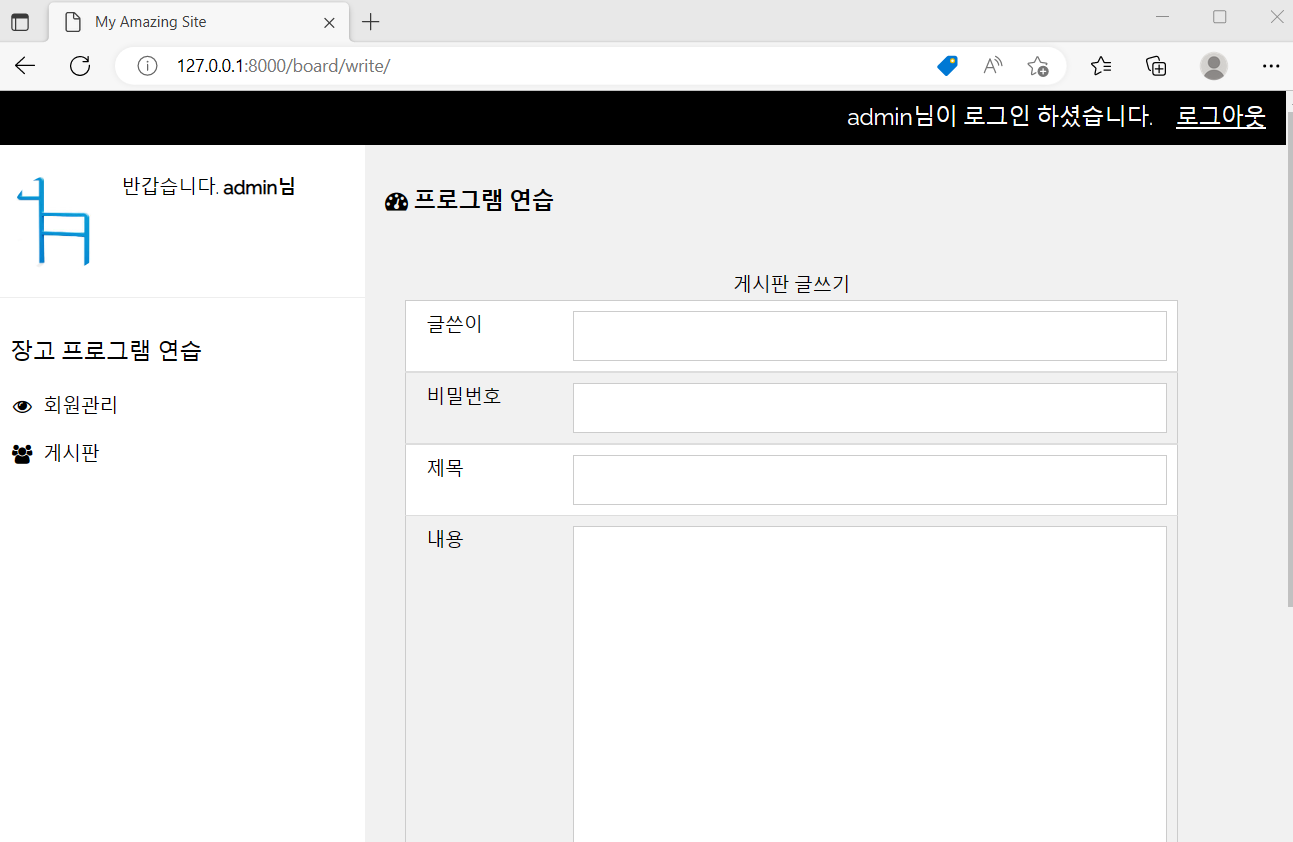
- 결과
'수업(국비지원) > Django' 카테고리의 다른 글
| [Django] 게시글 상세보기 (0) | 2023.04.27 |
|---|---|
| [Django] 게시판 목록 (0) | 2023.04.27 |
| [Django] 게시판 생성 (0) | 2023.04.27 |
| [Django] 비밀번호 수정 (0) | 2023.04.27 |
| [Django] 파일 업로드 (0) | 2023.04.27 |


