📌
#######################
# titanic 데이터셋 연습
# seaborn 모듈에 저장된 데이터
'''
survived	생존여부
pclass	좌석등급 (숫자)
sex	성별 (male, female)
age	나이
sibsp	형제자매 + 배우자 인원수
parch: 	부모 + 자식 인원수
fare: 	요금
embarked	탑승 항구
class	좌석등급 (영문)
who	성별 (man, woman)
adult_male 성인남자여부
deck	선실 고유 번호 가장 앞자리 알파벳
embark_town	탑승 항구 (영문)
alive	생존여부 (영문)
alone	혼자인지 여부
'''

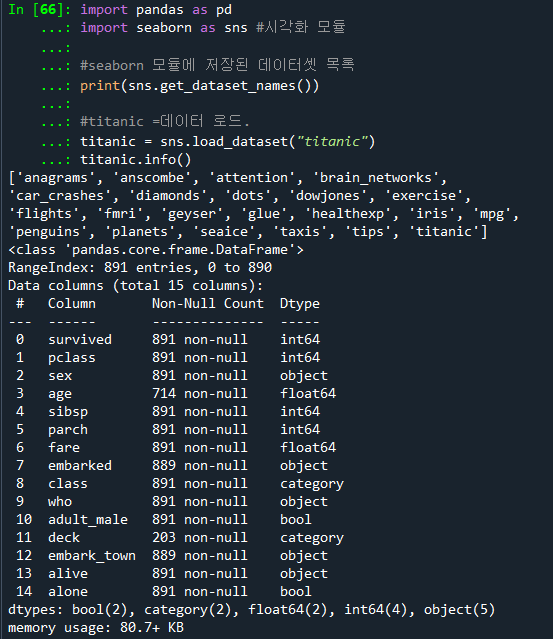
import pandas as pd
import seaborn as sns # 시각화 모듈
# seaborn 모듈에 저장된 데이터셋 목록
print(sns.get_dataset_names())
# titanic 데이터 로드
titanic = sns.load_dataset("titanic")
titanic.info()
📌
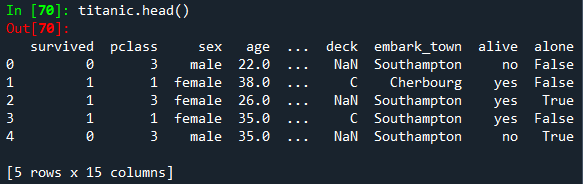
# 앞의 다섯줄만 출력하기
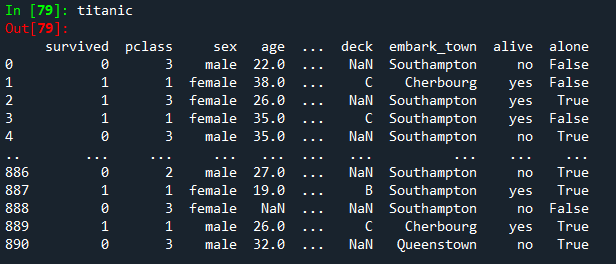
titanic.head()
titanic
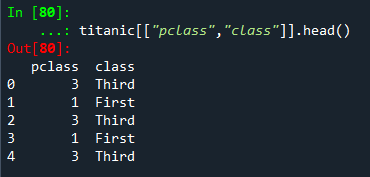
#pclass,class 데이터만 조회하기
titanic[["pclass","class"]].head()
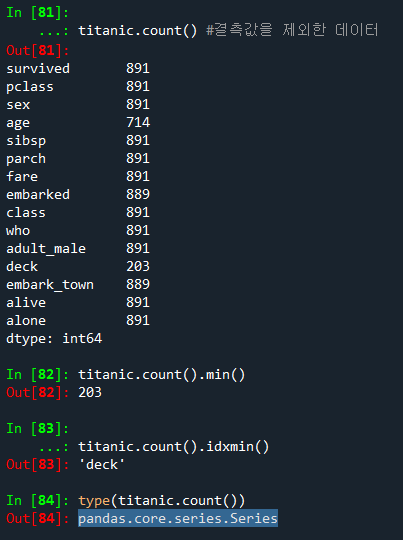
#컬럼별 건수 조회하기
titanic.count() #결측값을 제외한 데이터

#건수 중 가장 작은 값 조회하기
titanic.count().min()

#건수 중 가장 작은 값의 인덱스 조회하기
titanic.count().idxmin() => deck #가장작다=결측값이 가장 많은 객체
type(titanic.count()) #결과 => pandas.core.series.Series 시리즈자료형
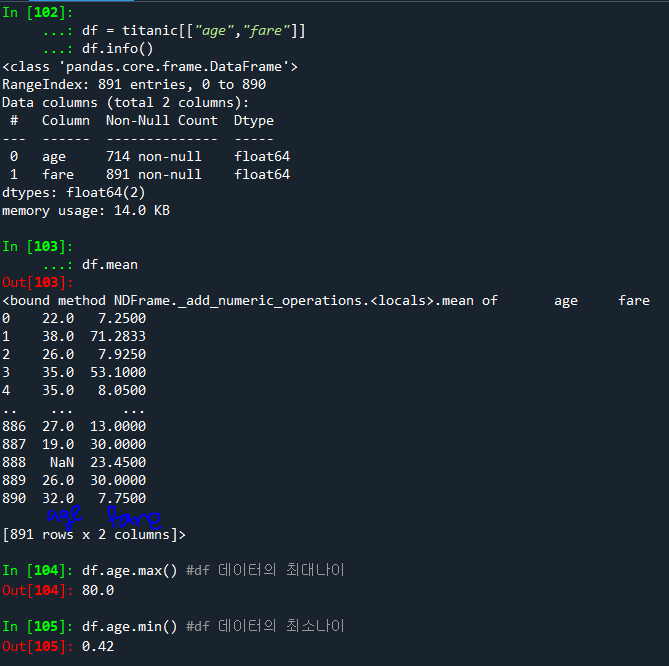
#titanic의 age,fare 컬럼만을 df 데이터셋에 저장하기
df = titanic[["age","fare"]]
df.info()
#df 데이터의 평균 데이터 조회
df.mean()

#df 데이터의 최대나이와 최소나이 조회
df.age.max() #df 데이터의 최대나이
df.age.min() #df 데이터의 최소나이
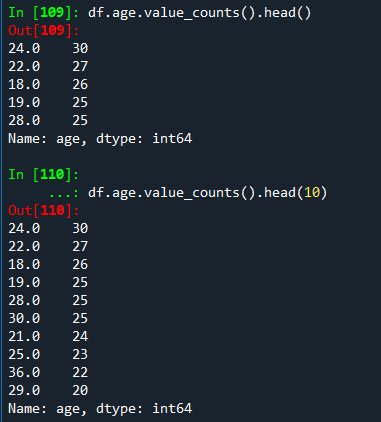
#나이별 인원수를 조회. 최대 인원수를 가진 5개의 나이 조회
#값의 갯수. 내림차순 정렬하여 조회
df.age.value_counts().head()
#인원수가 많은 나이 10개 조회
df.age.value_counts().head(10)
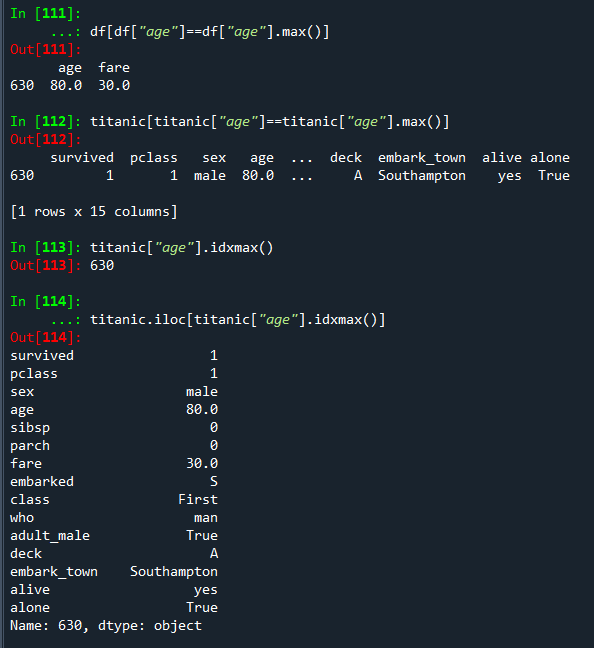
#승객 중 최고령자의 정보 조회하기
#1
df[df["age"]==df["age"].max()]
#2
titanic[titanic["age"]==titanic["age"].max()]
#3
titanic["age"].idxmax()
#4
titanic.iloc[titanic["age"].idxmax()]
❓
#데이터에서 생존건수, 사망건수 조회하기
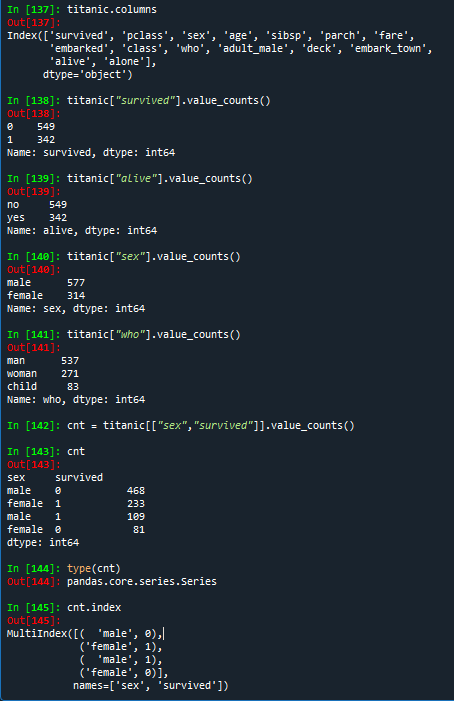
titanic.columns # titanic 컬럼 조회하기
titanic["survived"].value_counts()
titanic["alive"].value_counts()

#성별로 인원수 조회하기
titanic["sex"].value_counts()
titanic["who"].value_counts()

#성별로 생존건수 조회하기
cnt = titanic[["sex","survived"]].value_counts()
cnt
type(cnt) # Series 객체
cnt.index